Squarespace Plugin – Dynamic Table of Contents
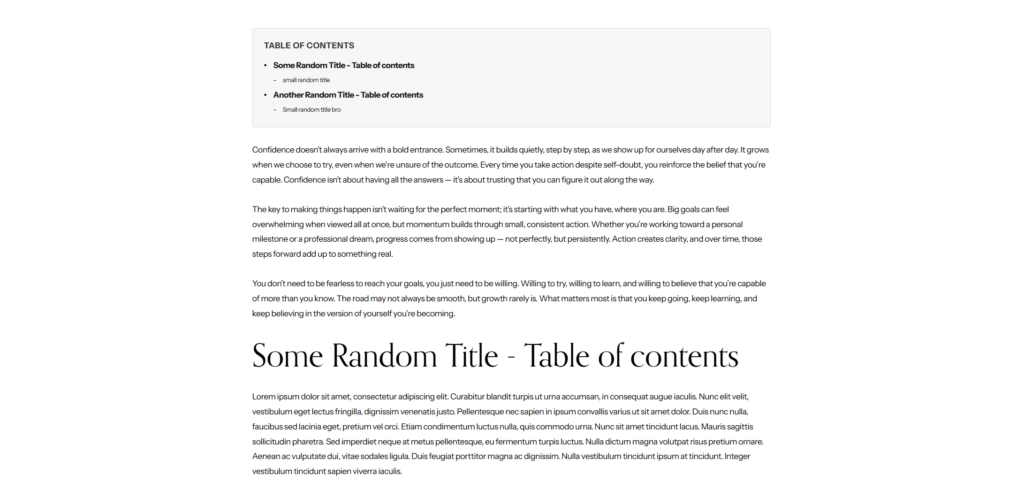
Automatically adds a clickable "On This Page" navigation to your Squarespace blog posts. Scans H2 and H3 headings, generates anchor links, and smooth-scrolls to each section. No coding needed.
Why Table of Contents Matters for SEO
Long-form content ranks better — but only if readers can navigate it. A table of contents reduces bounce rates, increases time on page, and helps Google understand your content structure for featured snippets.
"Without structured data, Google, Bing, ChatGPT, and Gemini are just guessing what your site is about."
The Problem
Squarespace gives zero built-in table of contents functionality. You're stuck creating anchor links manually for every heading on every post.
- No built-in TOC feature in Squarespace
- Manual anchor links for every heading
- Must maintain links as content changes
The Solution
Dynamic Table of Contents scans your blog post's H2 and H3 headings, generates anchor IDs, builds a clean navigation menu, and inserts it at the top of your content. Automatically.
- Auto-detects all H2 and H3 headings
- Generates clean anchor IDs automatically
- Smooth scrolling to each section
- Self-updating — zero maintenance
Who Is This For?
Bloggers
Publishing guides, tutorials, and long-form content.
SEO Specialists
Optimizing content structure for search engines.
Course Creators
Making resource pages easy to navigate.
Agencies
Adding value to client Squarespace sites quickly.
Frequently Asked Questions
Does this work with Squarespace 7.0?
This version is optimized for 7.1. A 7.0-compatible version is available on request.
Will this slow down my website?
No. The script is under 2 KB and only runs on blog post pages.
Stop Guessing. Start Structuring.
Your competitors are already implementing structured data. Every day without it is a day search engines understand their site better than yours.
Need help? Visit the contact page for support.